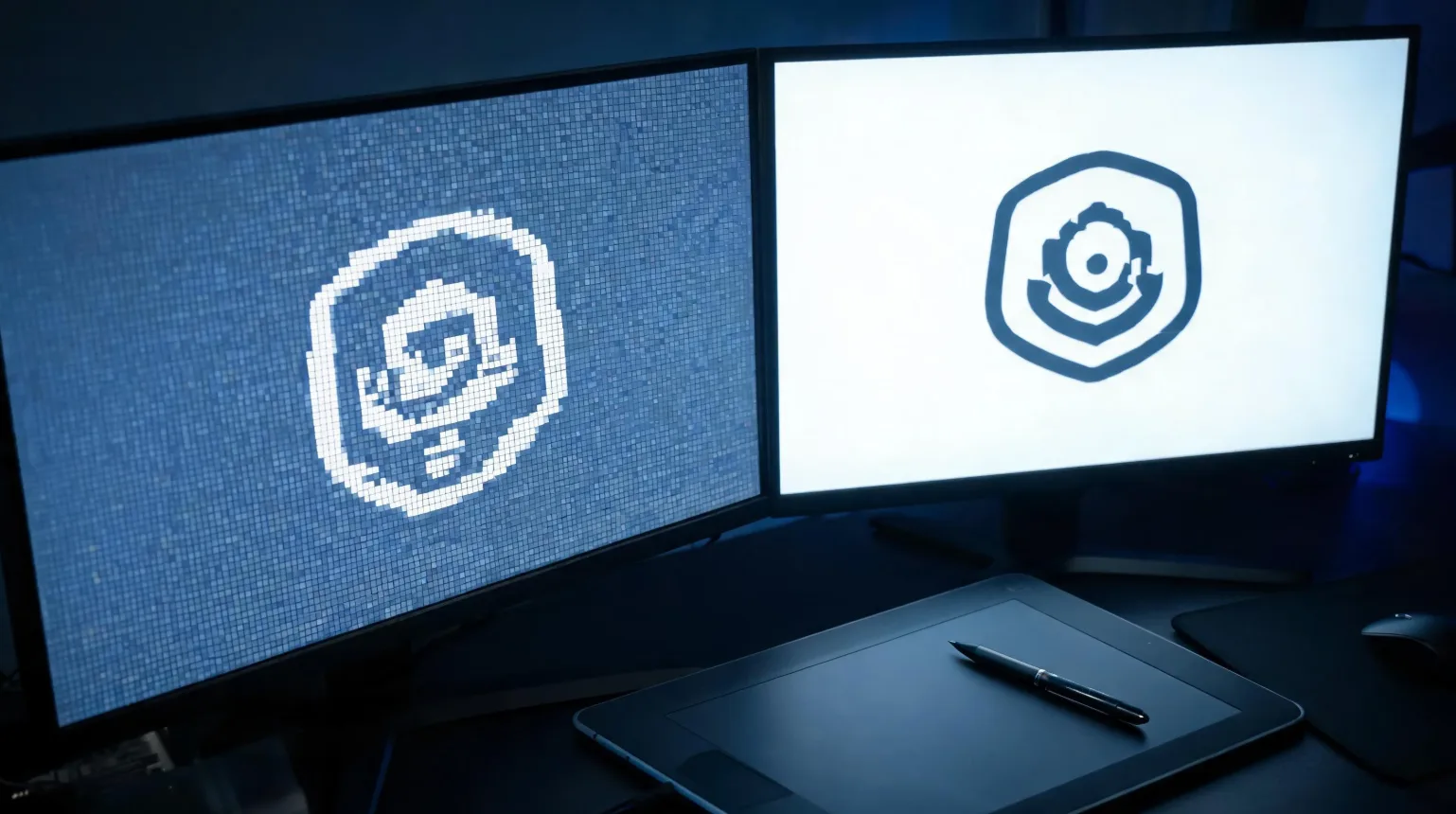
Vector artwork is made of mathematical shapes that stay razor-sharp at any size, while raster artwork is made of pixels that go soft and jagged when enlarged — which is why stickers print best from vectors. If your logo looks fuzzy on a printed sticker, this is almost always why. Here’s how to tell what you have and how to fix it.
What’s the difference between vector and raster?
A raster image (JPG, PNG) is a grid of coloured pixels. Zoom in far enough and you see squares. A vector image (AI, SVG, EPS, PDF) stores the artwork as points, curves, and fills — instructions the printer redraws at whatever size you need. Scale a vector to a billboard and the edges stay perfect; scale a raster and it falls apart.
| Vector | Raster | |
|---|---|---|
| Scalability | Infinite, no quality loss | Limited by pixel count |
| Edges / sharpness | Crisp at any size | Soft or jagged when enlarged |
| File types | AI, SVG, EPS, vector PDF | JPG, PNG, GIF, TIFF |
| Best use | Logos, lettering, die-cut shapes | Photographs, painterly art |
Why do stickers print better from vectors?
Two reasons. First, sharpness: the fine outlines and text on a small sticker demand clean edges, and vectors deliver them at any print size. Second, the cut line: die-cut and kiss-cut stickers need a precise path for the blade to follow, and that path is a vector by definition. A raster file has no cut path to follow, so the shape has to be traced anyway.
How to tell if your file is vector or raster
- Check the extension: AI, SVG, EPS, and vector PDF are vector; JPG, PNG, GIF are raster.
- Zoom in hard: open the file and zoom to 800%. Crisp edges mean vector; visible squares mean raster.
- Careful with PDFs: a PDF can contain either. If zooming reveals pixels, it’s a raster wrapped in a PDF.
- Where it came from: anything screenshotted, photographed, or downloaded from social media is raster.
How to vectorize an existing image
Vectorizing means redrawing raster artwork as clean paths. There are three routes:
- Auto-trace. Illustrator’s Image Trace, Inkscape’s Trace Bitmap, or an online converter. Fast, and fine for bold, high-contrast shapes; messy on detailed or low-resolution art.
- Manual redraw. A designer redraws the artwork with the pen tool. Slower, but the only way to get truly clean curves and text.
- Ask your printer. We vectorize logos free as part of the artwork check, so you don’t have to buy software or guess.
Whichever route you take, convert live text to outlines so fonts don’t shift on another machine.
What file formats to send your printer
Send AI, SVG, EPS, or a vector PDF wherever possible. If your design is genuinely photographic, a high-resolution PNG or TIFF (300 DPI at final print size, with a transparent background if it’s die-cut) is acceptable — but any logo or lettering on it should still be vector. For the rest of the file setup, including bleed and dielines, see how to design a custom sticker, and preview the result with a sticker mockup before you approve.
Frequently asked questions
Why do stickers need vector files?
Vectors stay sharp at any size and provide the exact cut path a die-cut sticker needs.
How do I know if my logo is vector?
Check the extension (AI/SVG/EPS) and zoom to 800% — pixels mean raster.
Can you fix my blurry sticker artwork?
Yes. We vectorize logos free so they print crisp at any size.
Is a high-resolution PNG good enough?
For photographic art, often yes at 300 DPI. For logos and text, vector is far better.
What is auto-trace?
Software that converts a raster image to paths automatically. Great for bold shapes, unreliable on fine detail.
Send us your logo — we’ll vectorize it free for crisp, scalable printing.
Buyer Notes for How to Vectorize Artwork for Sticker Printing (And Why It Matters)
For sticker sourcing, buyers should consider product format, finish, carton quantity, packaging style, and whether the design fits the intended retail or promotional use. StickerJaki focuses on carton-based wholesale supply, with standard product orders following MOV $200. Custom sticker pricing depends on the product type, material, finish, packaging, and quantity.
Sticker products can look similar online, but commercial results often depend on details such as adhesive choice, finish, packaging, sheet layout, and carton quantity. Buyers should match those specifications to the selling channel before choosing a product.
Quick sourcing checklist
- Define where and how the sticker will be used
- Compare material, finish, packaging, and carton quantity
- Use custom quoting when standard products do not match the project
For readers comparing options, the best next step is to move from general research to the right product or quote path. Useful resources: Wholesale sticker products · 3D relief stickers wholesale · Custom sticker manufacturing.
If the standard product range does not match the exact design, packaging, or application requirement, a custom quote is usually the better path. In that case, prepare the artwork, expected quantity, target material, finish, and packing method before contacting the supplier.
Commercial Planning Notes
Most sticker decisions become easier when buyers separate appearance from function. Appearance covers artwork style, finish, color, shape, and packaging impression. Function covers adhesive, surface compatibility, durability, carton quantity, and how the product will be handled after delivery. Both sides matter for a successful commercial sticker order.
Before placing a wholesale order, buyers should confirm the selling unit, carton quantity, product dimensions, material expectations, and whether a standard product or custom quote is the right path. This keeps the purchase aligned with retail display, online fulfillment, promotional use, or brand packaging needs.
For buyers comparing multiple sticker formats, the practical next step is to shortlist the intended use first, then match the product format to that use. Standard wholesale items are generally best for fast sourcing and retail assortments, while custom production is better when the design, material, dimensions, or packaging must follow a specific brand requirement.