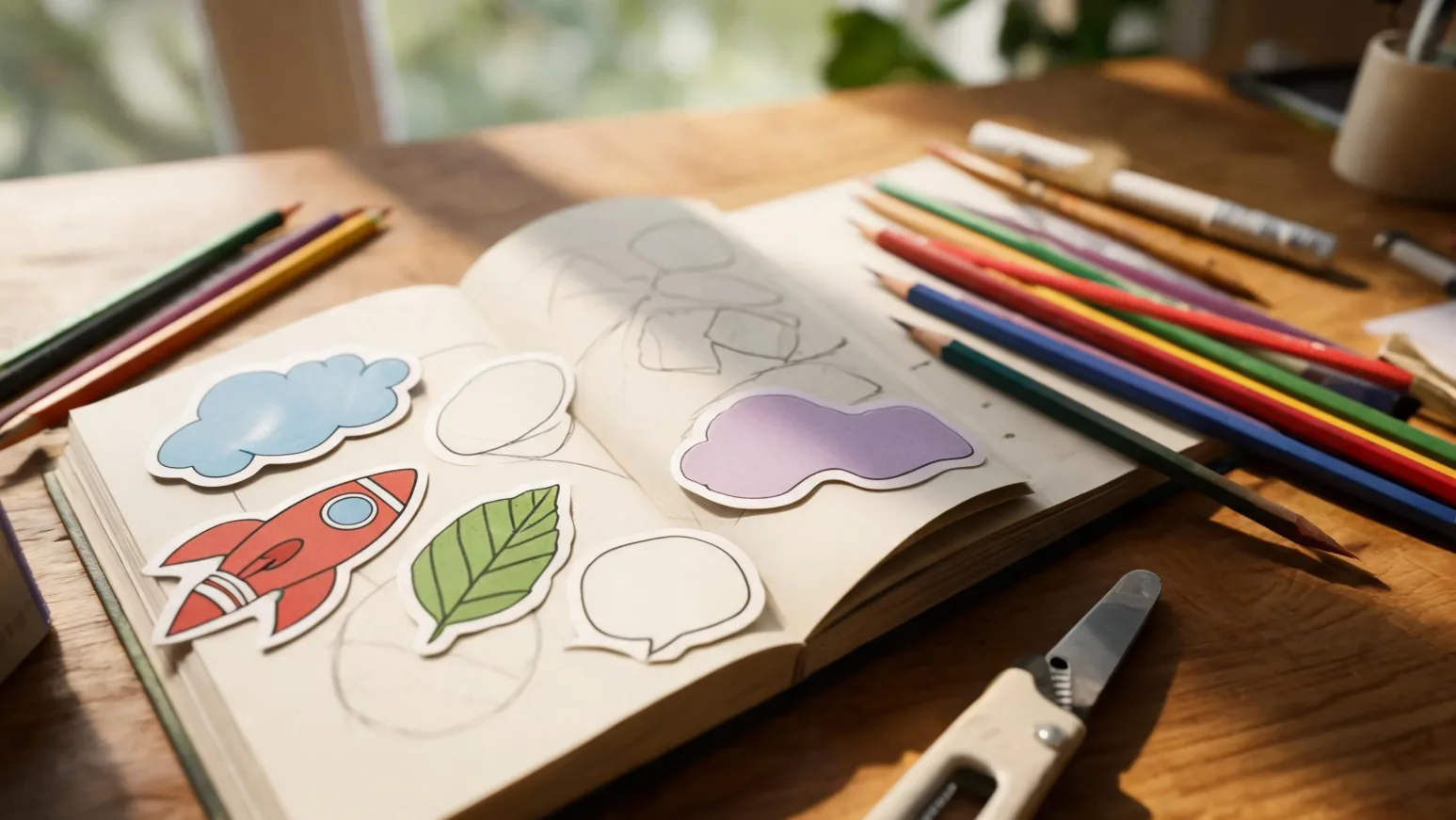
A circle is safe. A custom shape is memorable. Custom shape (contour-cut) stickers follow the exact outline of your artwork instead of a generic circle or square — and that silhouette is often what makes a sticker get picked up, kept, and stuck somewhere visible. Here’s how to design custom shapes that cut cleanly and look intentional.
Why go beyond circles and squares?
A custom outline does three things a standard shape can’t: it makes your design instantly recognizable as yours, it removes dead background space so the art fills the whole sticker, and it signals quality — a contour cut reads as deliberate and premium. For logos, mascots, lettering, and characters, the shape is part of the brand. The good news: there’s no extra restriction on complexity, so the only limits are the design rules below.
Design rules for custom shapes (thin points, internal cuts, bridges)
A great custom shape balances creativity with what a cutter can physically do. Keep this checklist in mind:
| Design element | Why it matters | Common mistake |
|---|---|---|
| Negative space | A clean border around the art keeps the cut strong | Letting art touch the cut edge with no margin |
| Thin protrusions | Spindly points tear or peel prematurely | Long thin antennae, tails, or text spikes |
| Internal cutouts | Holes inside the shape are possible but add cost/fragility | Tiny internal holes that won’t weed cleanly |
| Symmetry & balance | Helps the cut and the look feel intentional | Lopsided outlines that look like errors |
| Scale | Detail needs a minimum size to cut accurately | Designing intricate shapes too small |
The practical fix for fragile points is a bridge — slightly thickening or merging thin elements so the silhouette stays robust. A good supplier will flag and round these for you.
Industries that benefit most from custom shapes
- Food & beverage brands — bottle-, can-, or product-shaped logo seals.
- Streetwear & music — mascots and lettering that read as collectible.
- Apps & tech — icon-shaped stickers for laptops (free marketing).
- Artists & illustrators — character die-cuts that sell better than square crops.
- Events & weddings — monograms and themed shapes.
How custom shape dielines are created from your art
A dieline is the cut path the machine follows. It’s generated as a vector outline offset slightly outside your artwork (so there’s a clean border), then smoothed to remove jagged or fragile points. You don’t need to supply one — send your artwork (ideally vector, or high-resolution PNG with a transparent background) and the dieline can be created for you. For full file-prep details, see our sticker design and file-setup guide.
Inspiration: 6 creative custom shape ideas
- Mascot silhouette — your character cut to its outline.
- Stacked-word lettering — a slogan cut as one chunky shape.
- Product-shaped seal — a mini version of your packaging.
- Badge / emblem — a crest or shield outline for a premium feel.
- Speech bubble — great for quotes and reactions.
- Layered scene — a small illustrated scene cut to its combined edge.
Most custom shapes are die-cut as singles; if you have several designs, a sticker sheet can hold multiple shapes economically.
Frequently asked questions
How do I design a custom shaped sticker?
Create your art with a clean margin of negative space, avoid very thin points, supply it as vector or high-res transparent PNG, and a dieline (cut path) is generated from the outline.
Do I need to make the cut line myself?
No. Send your artwork and the dieline can be created for you for free from the outline.
Can a custom shape have holes in the middle?
Yes, internal cutouts are possible, but keep them reasonably sized so they cut and weed cleanly.
What file format is best for custom shapes?
Vector (AI, PDF, SVG) is ideal because it scales perfectly; a high-resolution PNG with a transparent background also works.
Is there a limit to how complex a shape can be?
There’s no hard complexity limit, but very thin protrusions and tiny internal cuts are fragile — they may be thickened (bridged) to keep the sticker durable.
Upload your shape idea and we’ll create the dieline for you, free.
Buyer Notes for Custom Shape Stickers: How to Design Stickers That Aren't Just Circles and Squares
For custom sticker projects, buyers should confirm the intended size, finish, adhesive, packaging style, artwork format, and target order quantity before requesting a quote. StickerJaki focuses on carton-based wholesale supply, with standard product orders following MOV $200. Custom sticker pricing depends on the product type, material, finish, packaging, and quantity.
A strong custom order brief usually includes artwork files, target dimensions, application surface, finish preference, packaging expectations, and the quantity range you want quoted. Providing those details early reduces back-and-forth and helps the supplier recommend a practical production route instead of guessing from the artwork alone.
Quick sourcing checklist
- Confirm artwork format and color expectations
- Choose material, finish, size, and packaging style
- Share target quantity so pricing can be quoted accurately
For readers comparing options, the best next step is to move from general research to the right product or quote path. Useful resources: Custom sticker manufacturing · Wholesale sticker products · Contact StickerJaki.
If the standard product range does not match the exact design, packaging, or application requirement, a custom quote is usually the better path. In that case, prepare the artwork, expected quantity, target material, finish, and packing method before contacting the supplier.
Commercial Planning Notes
When a sticker idea moves from concept to production, the most useful question is not only “Can this be printed?” but “Can this be repeated consistently at the required quantity?” A custom project should be reviewed as a complete commercial item: artwork, material, adhesive, finish, cutting method, packing method, and final use all affect the quotation and the production plan.
Buyers can reduce sampling delays by preparing a simple specification sheet before asking for pricing. Include size, shape, number of designs, expected order quantity, packaging type, target market, and any durability requirement such as waterproofing, cold resistance, or outdoor use. If the artwork has small text, metallic effects, transparent areas, or white ink, mention that early because it may change the printing process.
For buyers comparing multiple sticker formats, the practical next step is to shortlist the intended use first, then match the product format to that use. Standard wholesale items are generally best for fast sourcing and retail assortments, while custom production is better when the design, material, dimensions, or packaging must follow a specific brand requirement.


